How to Delete an Account on DealBack
Delete your DealBack account from Profile on the website. You will be signed out immediately and will not be able to sign in with that email again.
You can delete your DealBack account from the DealBack website while you are signed in. This cannot be undone. After you confirm, you will be signed out immediately and you will not be able to sign in with the same email again.
Step 1 — Sign in
Open DealBack and sign in at dealback.in/login with the email you want to delete.
Step 2 — Open Profile
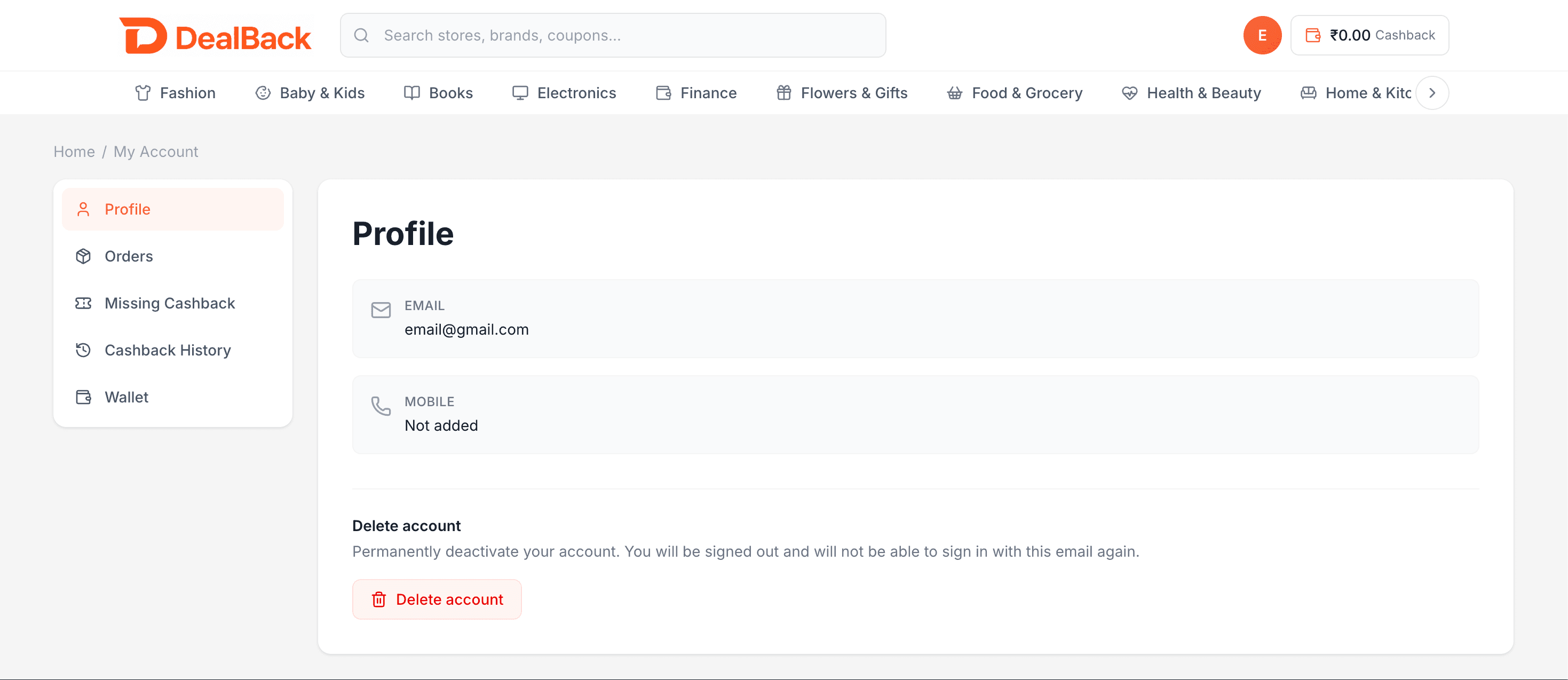
Click your avatar in the top-right corner and choose My Account, or go directly to dealback.in/account. In the left sidebar, make sure Profile is selected.
Step 3 — Click Delete account
Scroll to the bottom of the Profile page. Under Delete account you will see: "Permanently deactivate your account. You will be signed out and will not be able to sign in with this email again." Click the red Delete account button.
Step 4 — Confirm
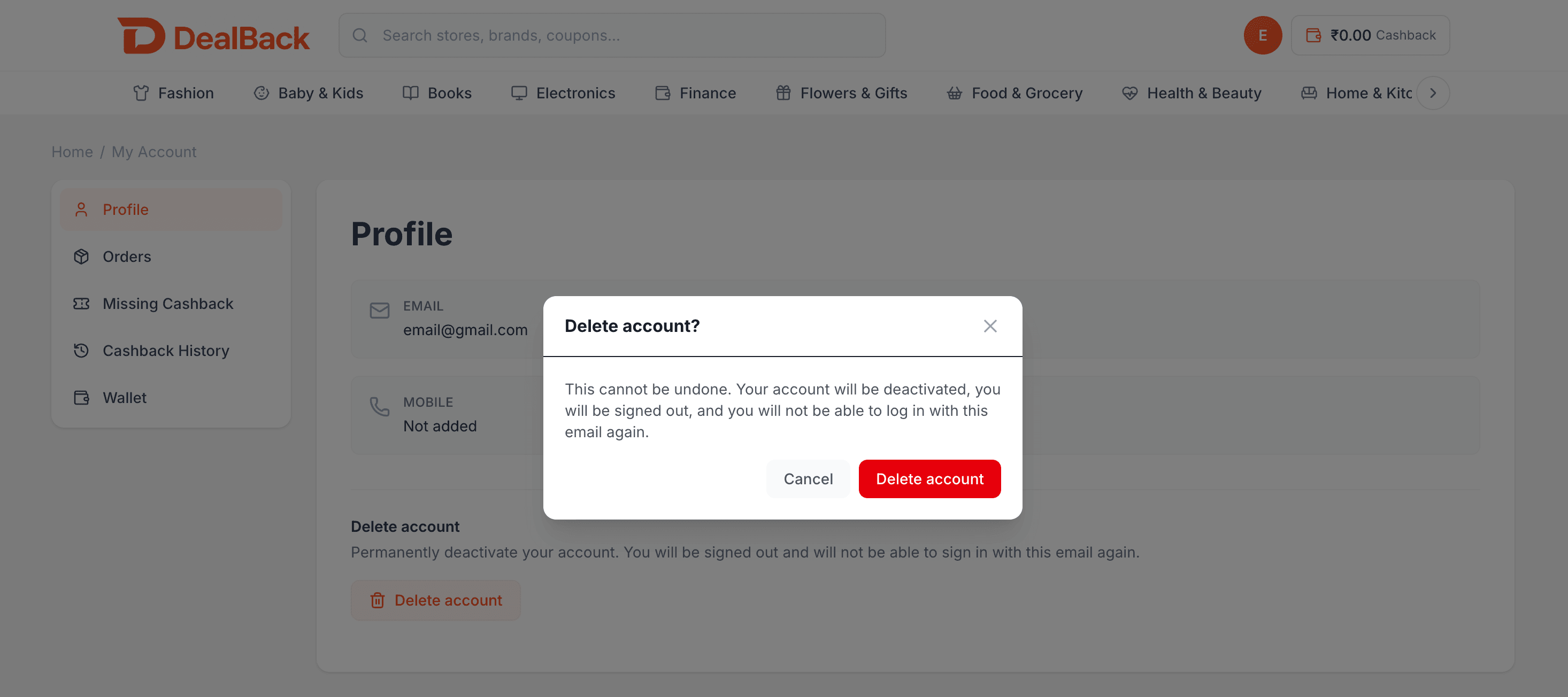
A dialog titled "Delete account?" appears. It warns: "This cannot be undone. Your account will be deactivated, you will be signed out, and you will not be able to log in with this email again."
Choose Cancel to keep your account, or Delete account to confirm.
What happens next
After you confirm, you are signed out immediately. That email cannot sign in, request a login code, or reset a password. A new account cannot be created with the same email.
Need help?
If you cannot access your account or have a question about deletion, email support@dealback.in.